
Instrument Pack — Removal
EL-86prose procedureTilt steering column step applies only where fitted; accessory switch connectors removed only where fitted.
Instrument Pack — Removal
- 1Remove battery negative cable from battery.
- 2Adjust tilt steering column (where fitted) to lowest position for access to instrument pack cowl fixing screws.
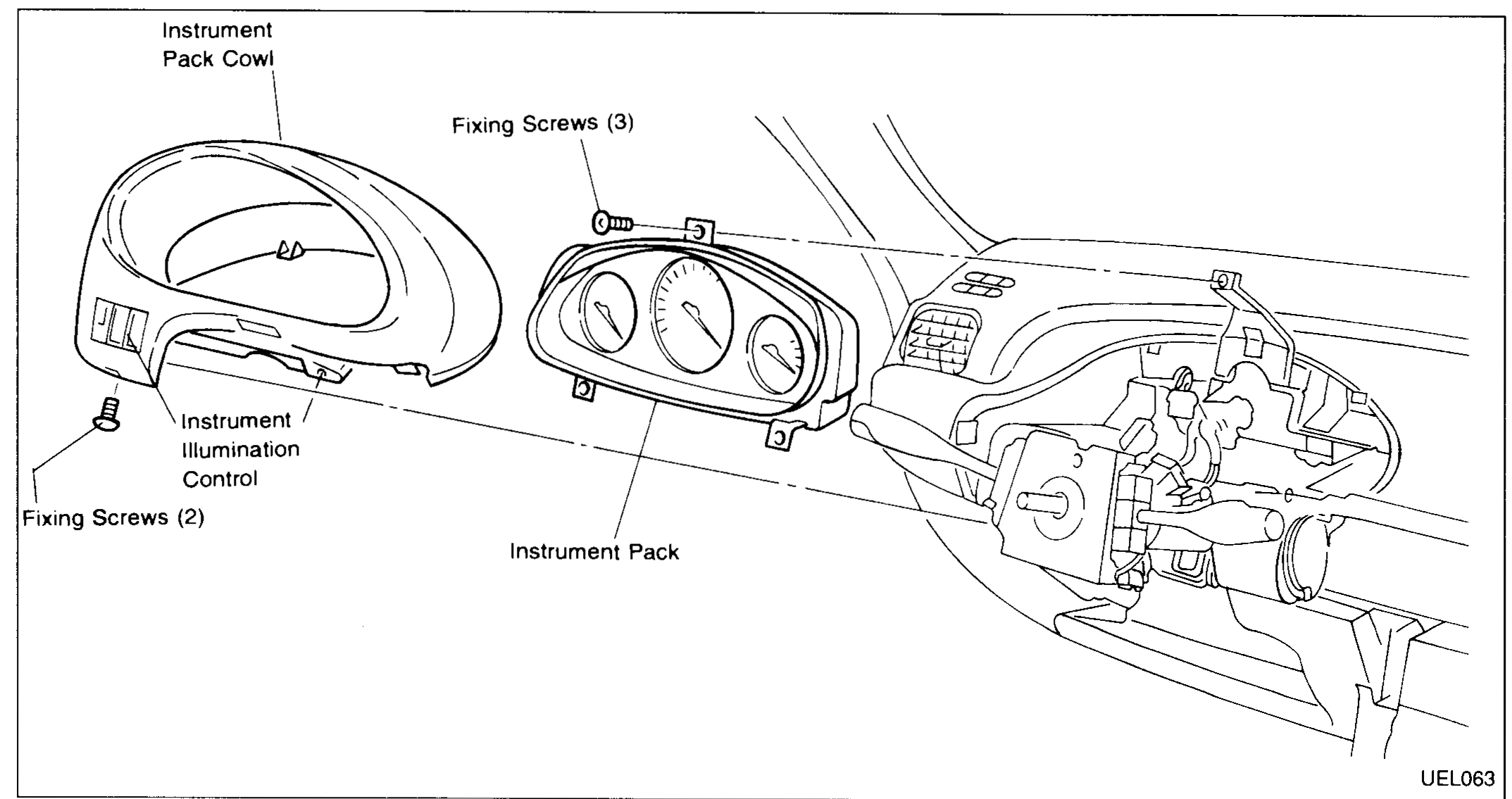
- 3Remove fixing screws from base of instrument pack cowl (2 off) and pull cowl forward to release cowl's rear fixing clips from dash panel.
 UEL063
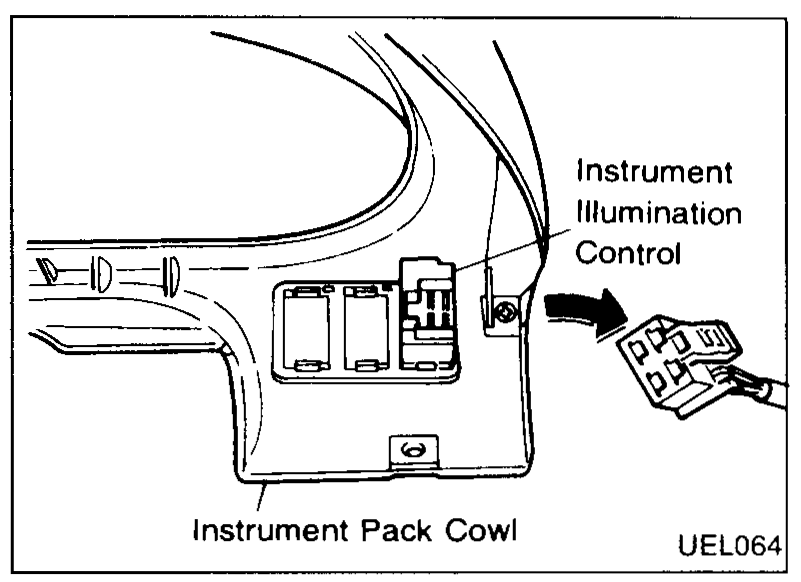
 - 4Remove instrument illumination rheostat connector (and accessory switch connectors where fitted) from back of cowl.
 UEL064
 - 5Remove cowl.
- 6Remove instrument pack fixing screws (3 off) to release instrument pack from mounting brackets.
- 7Remove connectors (3 off) from rear of instrument pack by pressing side release buttons and pulling connector from back of pack.
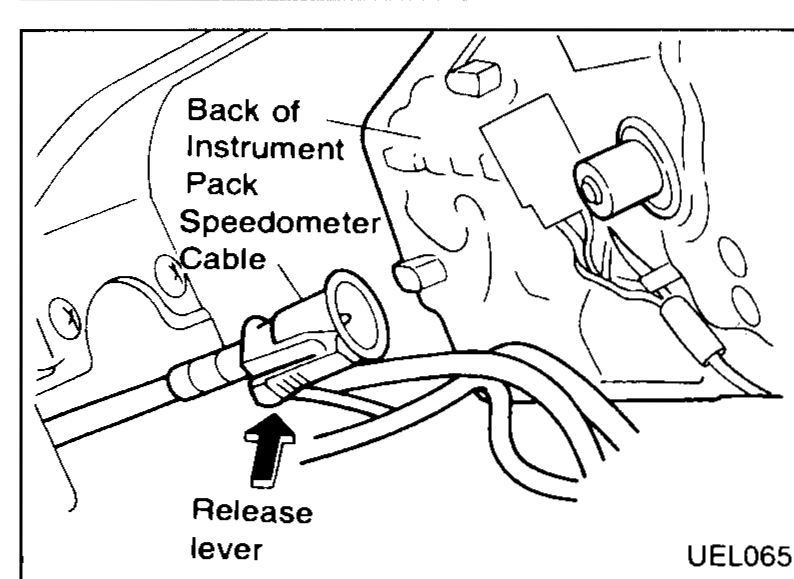
- 8Remove speedometer cable from rear of instrument pack by pressing release lever and pulling cable connector away from pack.
 UEL065
 - 9Remove instrument pack.
Installation
Installation of the instrument pack is the reverse of the removal procedure.