
NATS (Nissan Anti-Theft System) / Diesel engine — CONSULT-II Inspection Procedure (Supplement-VII)
EL-7078prose procedureDiesel CONSULT-II inspection procedure — same as gas (EL-7059), only DLC location image differs. Same AEN00A program card.
CONSULT-II
CONSULT-II INSPECTION PROCEDURE
- 1Turn ignition switch OFF.
- 2Insert NATS program card into CONSULT-II. Program card: NATS (AEN00A)
- 3Connect CONSULT-II to Data link connector which is located behind the fuse box cover.
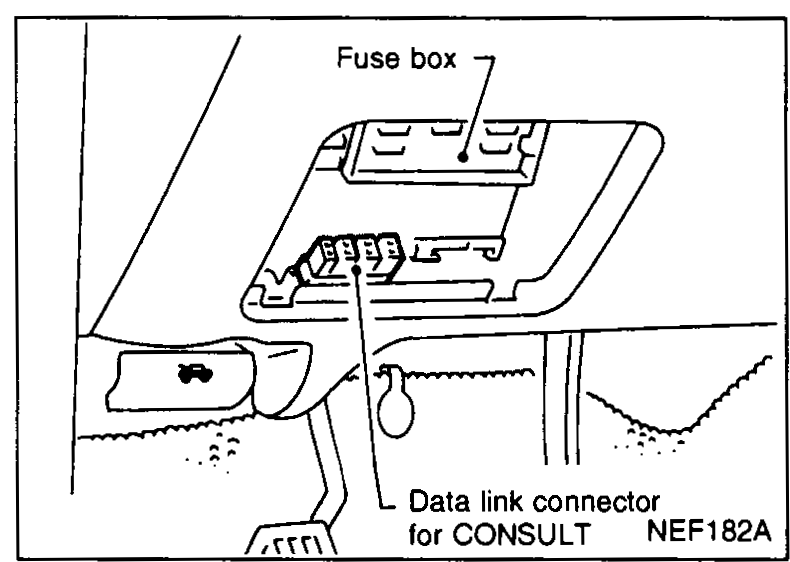 NEF182A
 - 4Turn ignition switch ON.
- 5Touch 'START'.
 SEL149X
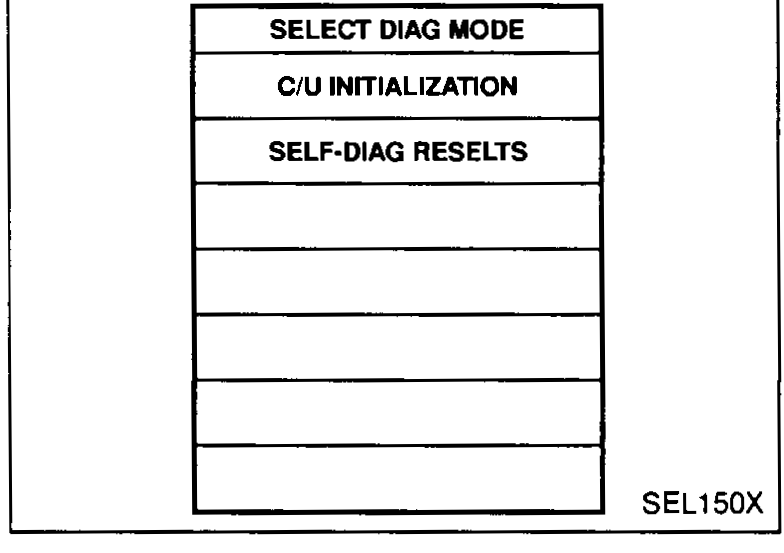
 - 6Perform each diagnostic test mode according to each service procedure.
 SEL150X
For further information, see the CONSULT-II Operation Manual, NATS.
NOTE
Diesel version of the CONSULT-II procedure (mirror of gas-engine EL-7059). Only the data-link connector location differs slightly (NEF182A vs NEF146A) — diesel DLC is connector M219 (per EL-7077), gas DLC was different connector ID. Same NATS program card AEN00A, same procedure steps.