
Interior Lamps — Room Lamp / Luggage Room Lamp Bulb Replacement & Replacement
EL-82prose procedureRoom Lamp — Bulb Replacement
- 1Remove battery negative cable from battery.
- 2Prise off lens from lamp.
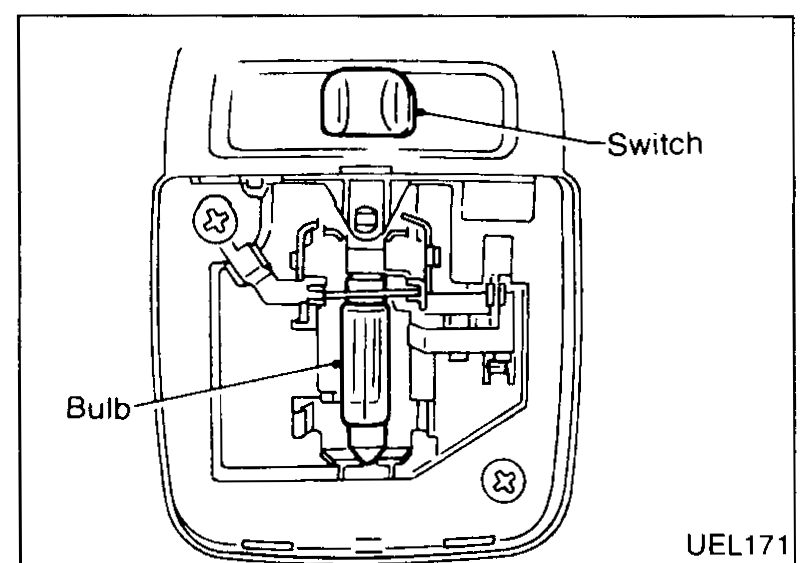
- 3Unclip defective bulb from lamp holder.
 UEL171
 - 4Insert new bulb by pushing in end nearest switch first, then clip other end into place.
- 5Insert lens into end furthest from switch first, then clip other end into place.Bulb: 12V 10W festoon
Room Lamp — Replacement
- 1Remove battery negative cable from battery.
- 2Prise off lens from lamp.
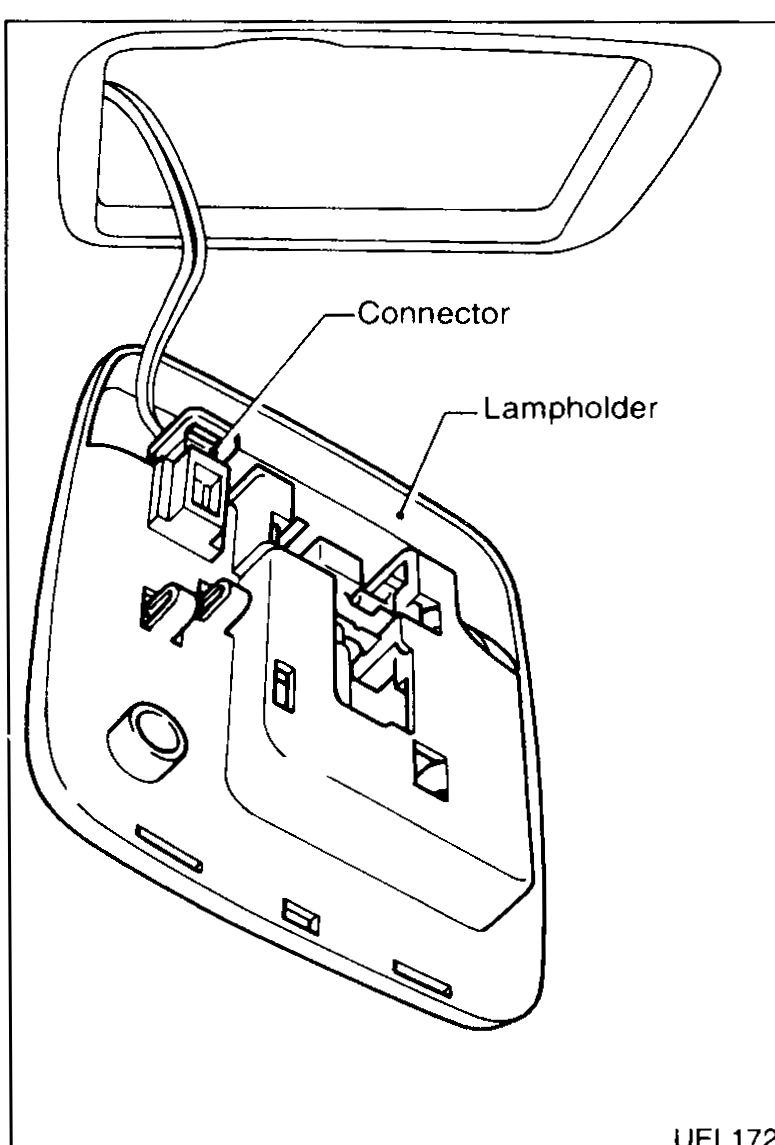
- 3Remove screws (2 off) securing lamp holder.
 UEL172
 - 4Pull lamp holder from trim.
- 5Disconnect connector.
- 6Replace unit in reverse order to the above.Insert lens into end furthest from switch first, then clip other end into place.Switch: 3 position (Door switched/ON/OFF).
Luggage Room Lamp — Bulb Replacement
- 1Remove battery negative cable from battery.
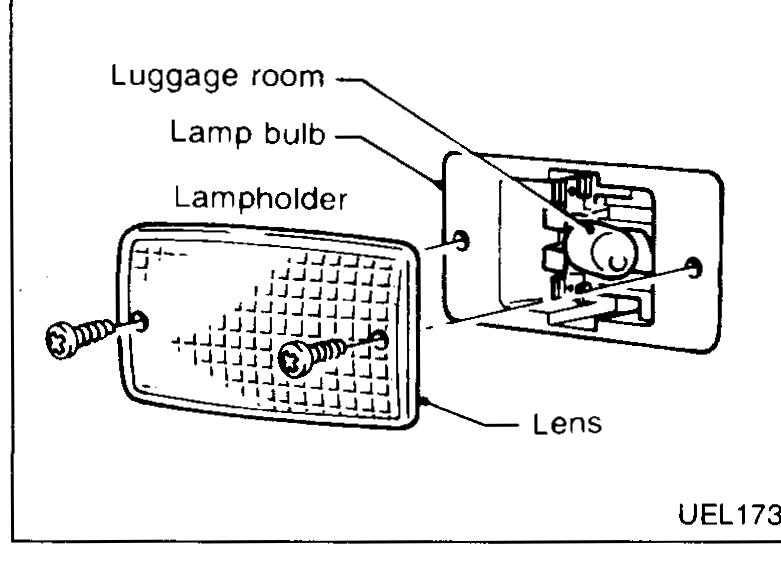
- 2Remove screws (2 off) securing lamp to trim.
- 3Remove lens cover.
 UEL173
 - 4Prise out defective bulb and replace.Bulb: 12V 5W
Luggage Room Lamp — Replacement
- 1Remove battery negative cable from battery.
- 2Remove screws (2 off) securing lamp to trim.
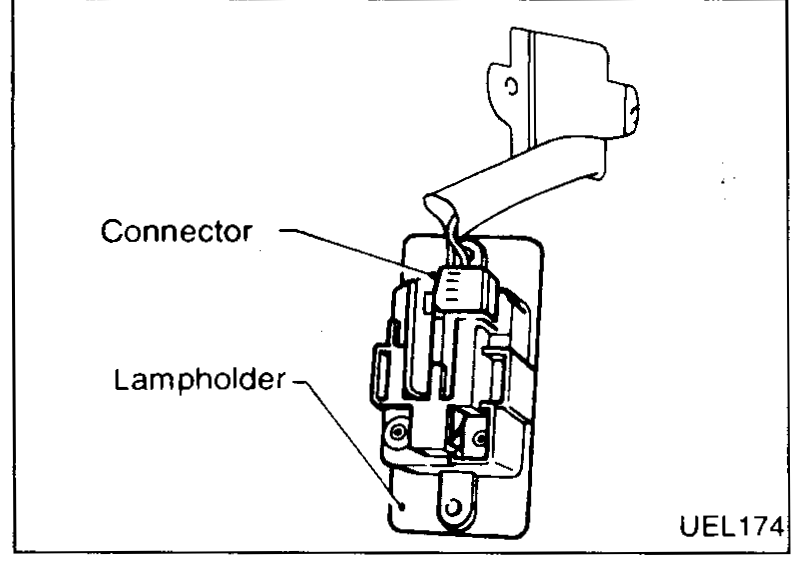
- 3Pull lamp holder away from trim.
 UEL174
 - 4Disconnect connector from back of lamp holder.
- 5Replace unit in reverse order to the above.