
NATS (Nissan Anti-Theft System) / Gasoline engine — CONSULT-II Inspection Procedure
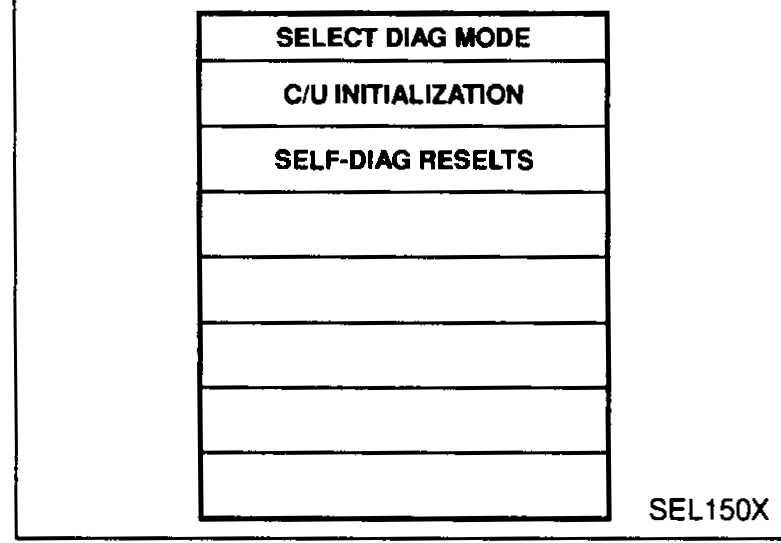
EL-7059prose procedureSource prints 'SELF-DIAG RESELTS' — typo for 'RESULTS', captured verbatim. NATS program card part number AEN00A.
CONSULT-II
CONSULT-II INSPECTION PROCEDURE
- 1Turn ignition switch OFF.
- 2Insert NATS program card into CONSULT-II.
- Program card: NATS (AEN00A).
- 3Connect CONSULT-II to Data link connector which is located behind the fuse box cover.
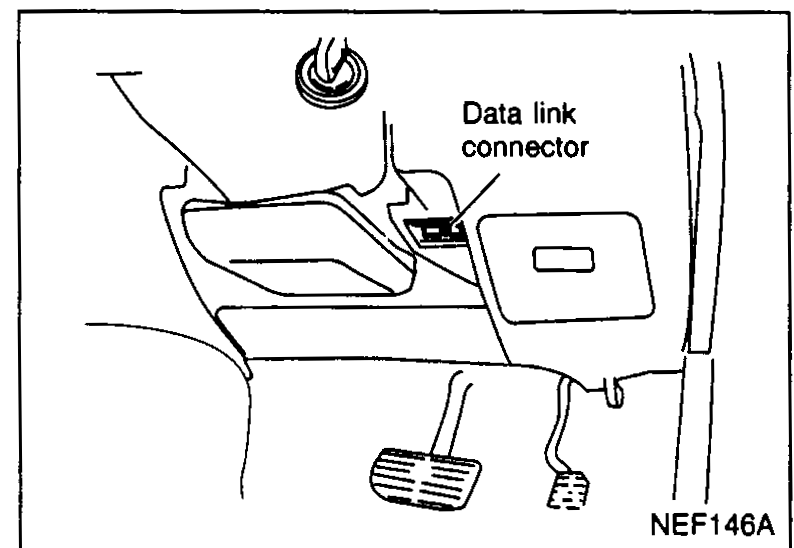 NEF146A
 - 4Turn ignition switch ON.
- 5Touch "START".
 SEL149X
 - 6Perform each diagnostic test mode according to each service procedure.
 SEL150X
NOTE
For further information, see the CONSULT-II Operation Manual, NATS.
See also
CONSULT-II Operation Manual — NATS